Home Quizzes School Middle school Grade 7 Python basics Grade 7 · Computing
Computing quiz for grade 7: Python basics This quiz helps revise “Python basics” in Computing for grade 7. It has 25 questions in five categories: First Commands, Stored Values, Calculations, Conditions, Loops. Questions get harder as the points go up, from 100 to 500.
Play↗
A peek at the questions The 100- and 200-point questions are open here. The rest show only their first words, and there are no answers: all of that is in the game itself.
First Commands 100 Which Python function displays a message on the screen?
200 Which Python function reads a response typed on the keyboard?
300 Which symbol starts a…
400 Which punctuation mark finishes…
500 What shows which lines…
Stored Values 100 What do we call a named place that stores a value in a program?
200 Which symbol goes between a name and its new value in a Python assignment?
300 Which Python type holds…
400 Which Python type holds…
500 Which Python type has…
Calculations 100 Which Python symbol adds two numbers?
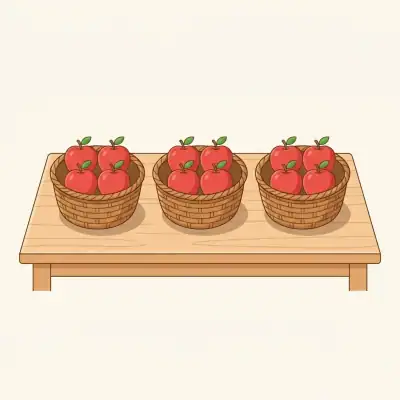
200 Three baskets hold four apples each. Which Python symbol would multiply these counts?
300 Eight sweets are shared…
400 Which Python symbol finds…
500 Python squares 4, then…
Conditions 100 A program shows an umbrella reminder only on rainy days. Which Python keyword starts that check?
200 Which Python keyword marks the fallback branch of a two-way decision?
300 Which Python symbol compares…
400 What does Python return…
500 Which Python operator requires…
Loops 100 Which Python keyword repeats an action once per item in a collection?
200 Which Python keyword keeps repeating an action as long as a condition holds?
300 What is the first…
400 What is the last…
500 An outer loop repeats…
Play this quiz All 25 questions and the answers are in the game. Invite your class or friends with a link — guests need no account.
Play↗
How it works Pick a quiz and press “Play”. Send students or friends the link — they join from a phone or a computer. Choose questions on the board, buzz in first and collect points.