Home Quizzes School Middle school Grade 5 Algorithms with Scratch Grade 5 · Computing
Computing quiz for grade 5: Algorithms with Scratch This quiz helps revise “Algorithms with Scratch” in Computing for grade 5. It has 25 questions in five categories: Start & Commands, Motion & Coordinates, Loops, Conditions & Sensing, Data & Tools. Questions get harder as the points go up, from 100 to 500.
Play↗
A peek at the questions The 100- and 200-point questions are open here. The rest show only their first words, and there are no answers: all of that is in the game itself.
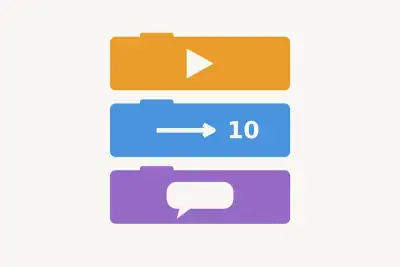
Start & Commands 100 Which Scratch button starts scripts that use the project-start event?
200 Blocks run from top to bottom. What does the sprite do right after it moves?
300 Which block goes between…
400 Which event starts a…
500 One sprite sends a…
Motion & Coordinates 100 Where does a sprite move after a “move 10 steps” command?
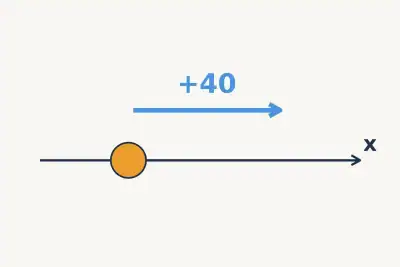
200 A sprite's x changes by +40. Which way does it move?
300 What happens to a…
400 What are the coordinates…
500 A sprite has x…
Loops 100 Which loop is best when an action must run exactly 8 times?
200 Which loop keeps running its blocks until the project is stopped?
300 Inside a loop, “move…
400 If a “repeat until”…
500 An outer loop runs…
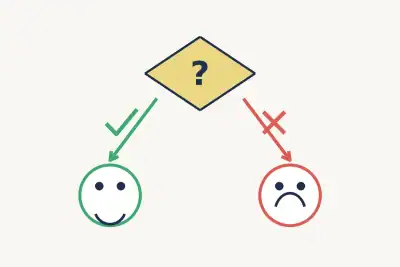
Conditions & Sensing 100 For which test result does an “if then” block run the blocks inside it?
200 What is the algorithm structure where a test leads to one of two paths?
300 Which Sensing block checks…
400 What kind of value…
500 What does “wait until”…
Data & Tools 100 What stores data such as a score while a Scratch project runs?
200 Which command replaces stored data with a new exact number or text?
300 The score is 7…
400 Which Scratch operator combines…
500 Which tool packages a…
Play this quiz All 25 questions and the answers are in the game. Invite your class or friends with a link — guests need no account.
Play↗
How it works Pick a quiz and press “Play”. Send students or friends the link — they join from a phone or a computer. Choose questions on the board, buzz in first and collect points.